


Creating an organized workspace can make a significant difference in your daily productivity and how you feel while working. A cluttered area often leads to distractions and increased stress, while a clean, well-arranged space encourages focus and calm. Whether you work from home or in an office, these simple tips can help transform your workspace into a productivity-boosting environment.
Why Organizing Your Workspace Matters
An organized workspace reduces the time you spend searching for documents or supplies, helping you stay on task. It also creates a welcoming environment that motivates you to work efficiently. When your desk is clutter-free, your mind tends to feel clearer, which can lead to less stress and better decision-making.
Step 1: Declutter Your Desk
Remove Non-Essential Items
Start by clearing everything off your desk surface. Only return items you use daily, like your computer, a notebook, and a writing utensil. Removing unnecessary items prevents distractions and frees up space.
Sort and Store Supplies
Gather office supplies such as pens, paper clips, and sticky notes, and store them in designated containers or drawers. Consider drawer organizers or small bins to keep things tidy.
Step 2: Organize Digital and Paper Files
Go Digital When Possible
Paper clutter can easily overwhelm your workspace. Scan important documents and save them on your computer or cloud storage in clearly labeled folders.
Set Up a Filing System
For papers you need to keep physically, use an organized filing system with folders labeled by category or date. A simple file organizer or vertical sorter on your desk can keep papers within easy reach without piling up.
Step 3: Optimize Your Desk Layout
Position Your Computer Ergonomically
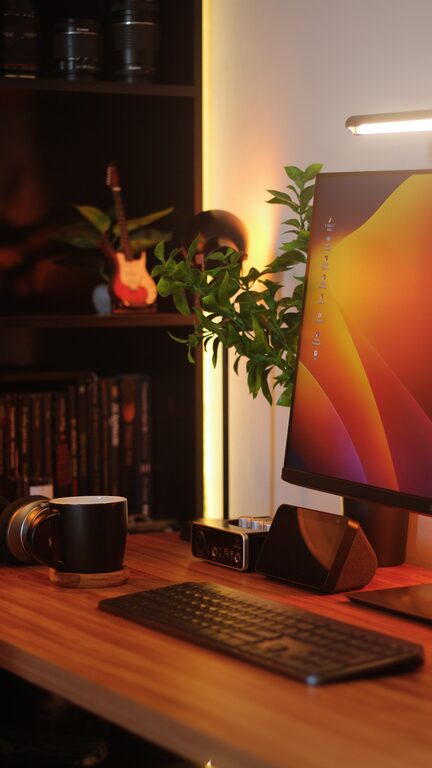
Place your monitor at eye level and about an arm’s length away. Keep your keyboard and mouse within easy reach to maintain good posture and reduce strain.
Keep Frequently Used Items Nearby
Store items you use often within arm’s reach to reduce unnecessary movement. Items you use less frequently can be stored further away or in drawers.
Step 4: Use Smart Storage Solutions
Vertical Storage
Take advantage of vertical space by using wall shelves or pegboards for additional storage. This keeps important items visible but off your desk surface.
Cable Management
Unruly cables can add to the mess and distract you. Use cable clips, tubes, or ties to bundle cords neatly and prevent tangling.
Step 5: Establish Daily Habits for Maintenance
End-of-Day Clean-Up
Spend 5 minutes at the end of each workday tidying your desk. File papers, put away supplies, and wipe down surfaces to start the next day fresh.
Regular Decluttering Sessions
Set aside time weekly or monthly to reassess your workspace. Remove items you no longer need and reorganize as necessary to maintain order.
Step 6: Personalize Without Overdoing It
Adding a few personal touches like a small plant, a family photo, or an inspiring quote can make your workspace welcoming. However, keep decorations minimal to avoid unnecessary clutter.
Benefits You’ll Notice
– Improved focus and efficiency
– Reduced stress and mental fatigue
– Easier time locating essential tools and documents
– A welcoming workspace that encourages you to start your day motivated
Final Thoughts
Organizing your workspace doesn’t require a big makeover or expensive tools. By taking simple, consistent steps to declutter, sort, and arrange your environment, you can create a space that supports your productivity and well-being. Start small today, and enjoy the benefits of an orderly workspace tomorrow!